Defect report
The main document of defect detection: what is broken, how serious it is and what to do about it. With the estimate inside, the customer approves the report together with the amount.
Sections in order
Customer
Pick the customer from the directory. Add a new one with Create in directory — with the name and tax number. If the customer has a responsible person with an email, the document can be sent to them for approval in the portal.
Basis for defect detection
Why the equipment is being inspected: a customer request, scheduled service, a breakdown. For example: "Customer request: hydraulic leak on the boom".
Object of repair
The unit type and its name — they go into the act header. For example: "Boom hydraulic cylinder of a JCB 3CX excavator". If your type is not in the list, add it with the "+" button next to it.
Condition before defect detection
Photos of the equipment before work starts — with the camera or from the gallery — and a short description of the condition. This section can be skipped.
Defects
The core of the report. Every defect is its own line of the act with its own photos. Press Add defect and fill in:
- description — as the customer will read it: "Oil leak from under the cylinder rod, scoring on the rod";
- category — hydraulics, running gear, electrics… None matches — Add category;
- severity — critical, high, medium, low or none;
- recommendation — what to do: replace, repair, adjust;
- photos of the defect and a comment.
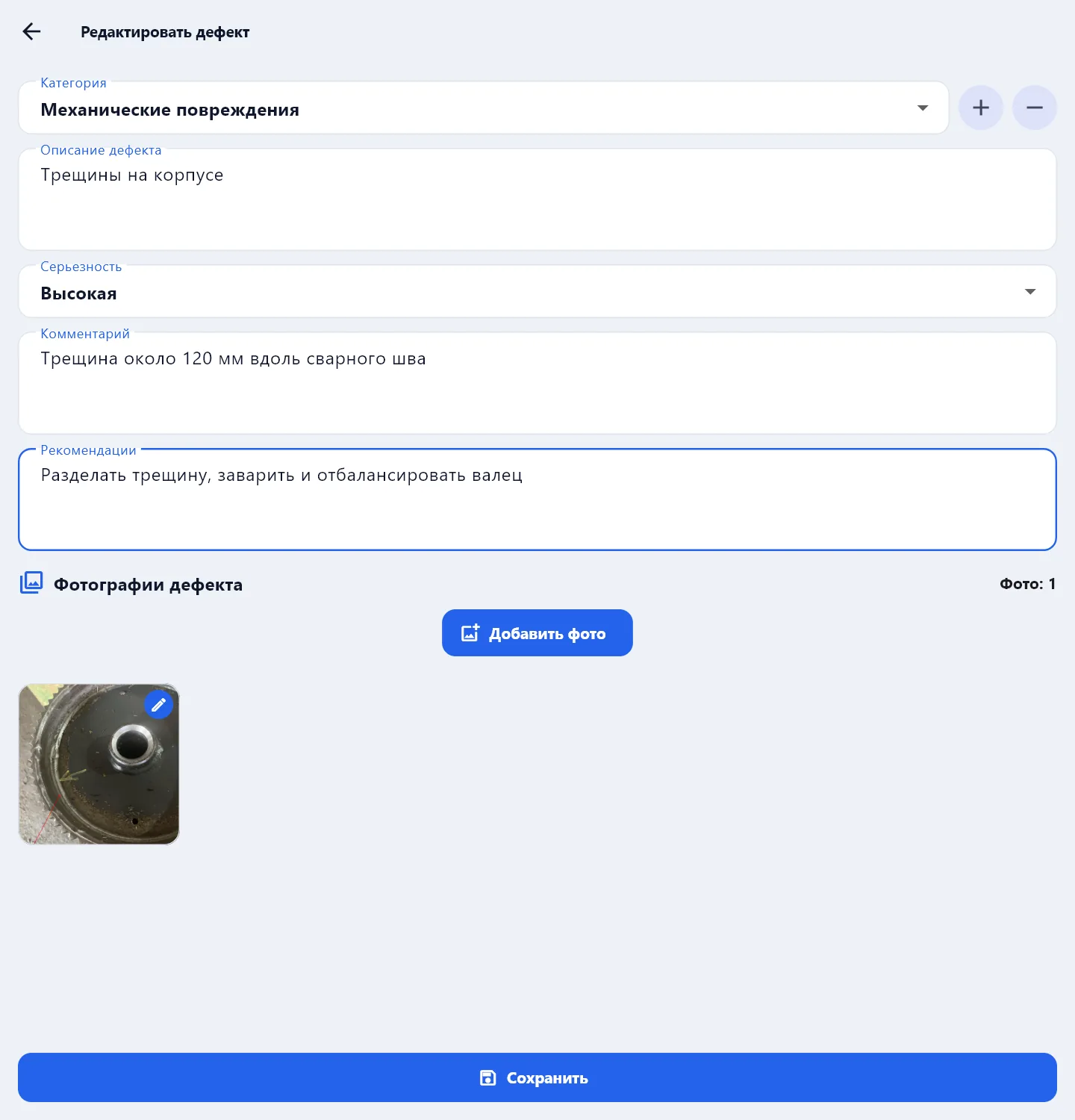
Defects are numbered in order. To delete a defect, use its card; the app asks again.
Conclusion
What to do with the equipment: repair, replacement, write-off. For example: "Seals must be replaced and the boom cylinder rod restored".
Estimate
Work and parts with prices. The estimate is printed in the report only when Include the estimate in the document is ticked; unticking hides the section but keeps the lines. More in Estimate and prices.
Signatures
Who signs the act: your side and the customer's representative. The signature is drawn with a finger on the phone screen or with a mouse on the computer — Photos and signatures.
Next
When the customer has approved the report, start a work order from it: Create based on: Work order on the check screen — the customer, the equipment and the responsible person carry over.
Check and save → PDF → send to the customer: PDF and sending to the customer. If the customer returns the report for rework, you see their comment, fix it and send it again — the number does not change.
A blank and a filled sample of the defect report are on the site: defect report — blank and sample.