Repair requests to contractors
The equipment broke down — describe what happened and send a request to one contractor or several. Each sends a preliminary price and date; you pick one.
A new request
The Requests section → New request (or the Leave a request button on the documents page).
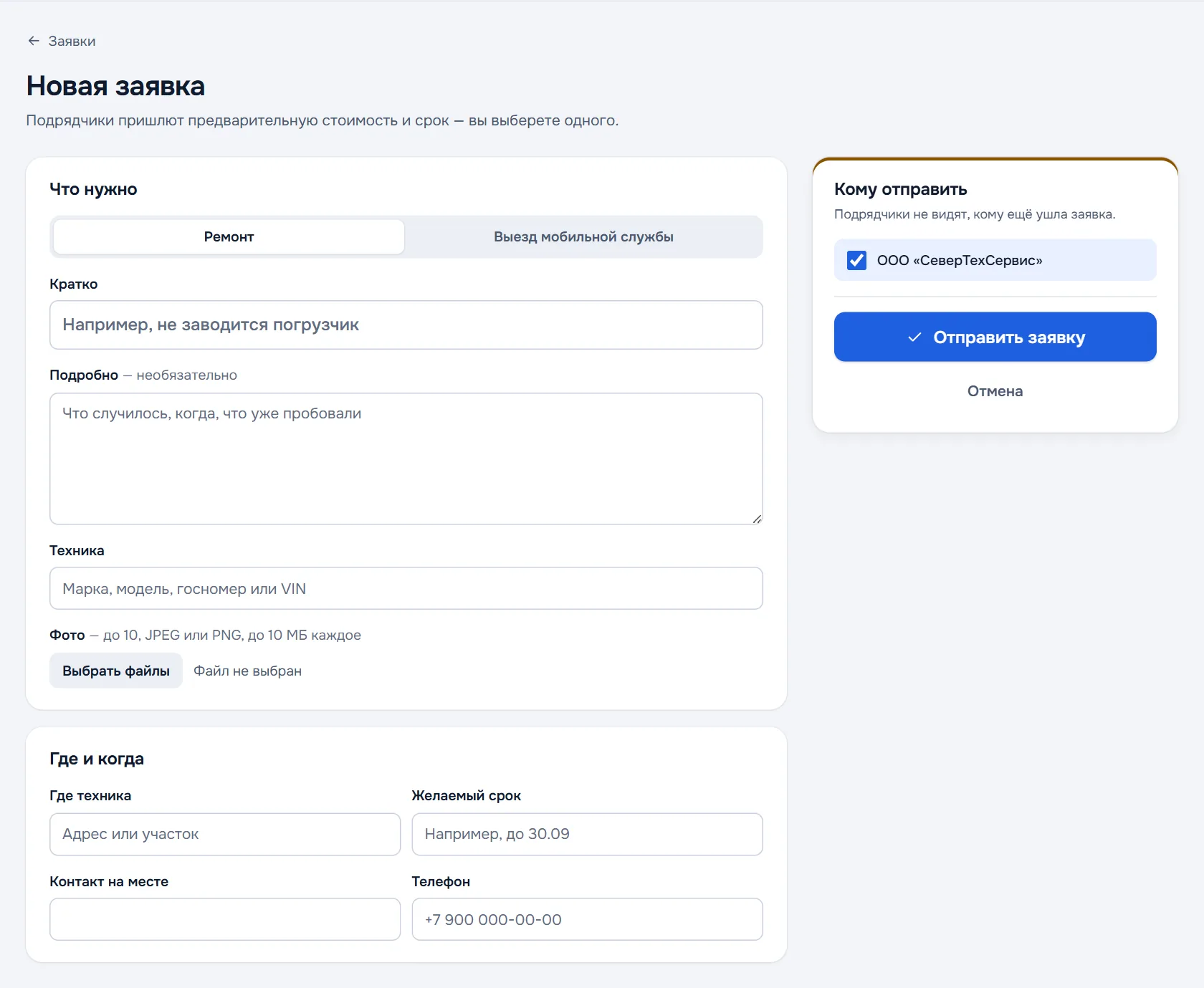
- What is needed — Repair or Mobile service visit.
- Briefly — for example "the loader will not start".
- In detail — what happened, when, what has already been tried; optional.
- Equipment — make, model, plate number or VIN.
- Photos — up to 10 shots, JPEG or PNG, up to 10 MB each.
- Where and when — where the equipment stands, the date you want, the contact on site and the phone.
- Whom to send it to — tick the contractors. Contractors do not see who else received the request.
- Press Send the request.
Answers from contractors
Contractors receive an email and answer with a preliminary price (from and to, with or without VAT), a date and a comment. The request list shows how many contractors answered — for example "1 of 2".
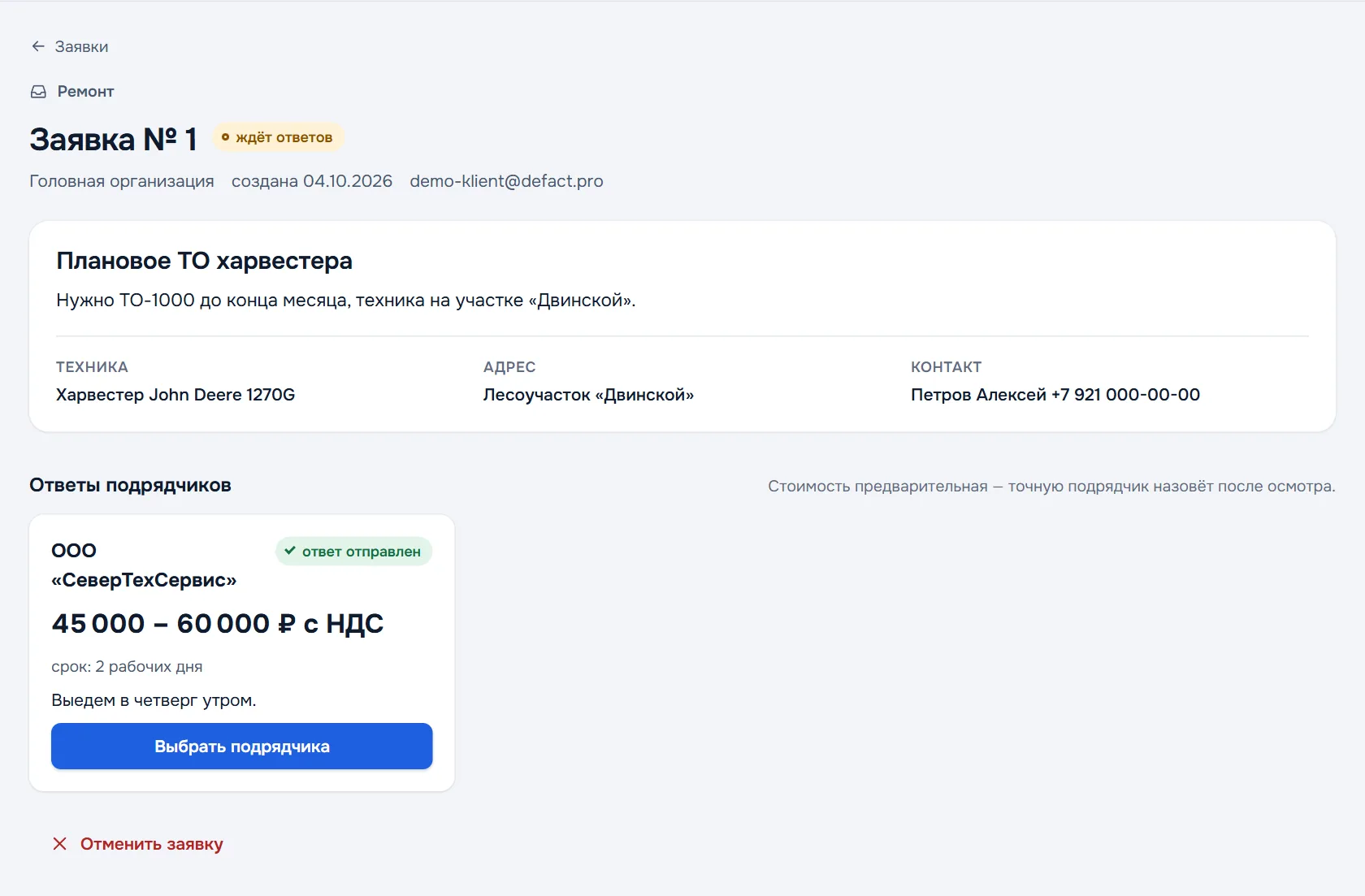
The price is preliminary — the contractor gives the exact one after the inspection, as an estimate in the defect report that you then approve.
Choosing a contractor
Open the request, compare the answers and press Choose contractor next to the one you want. The others see that the request is closed. The chosen contractor assigns the job to their mechanic; after that the request shows the work status and the date.
Changed your mind — Cancel the request at the bottom of the page.
Request statuses
| Status | What it means |
|---|---|
| awaiting answers | The request is sent, contractors are answering |
| contractor chosen | You picked a contractor |
| cancelled | You cancelled the request |