Solo technician — working alone
If you repair on your own, without a company or employees, switch on "I work alone" — documents will be in your own name. The Master plan adds a copy on the server and a number with a QR code.
The "I work alone" mode
Install the app and sign in — Installation and sign-in. After the first sign-in, on the Connect to a company screen press Create company (or later: the Company tab → Add company) and switch on I work alone. Fill in your details: the name (your full name or "IP Ivanov I. I."), the tax number if you have one, the address, the phone, the email. These are your details, not a company: they go into the document header.
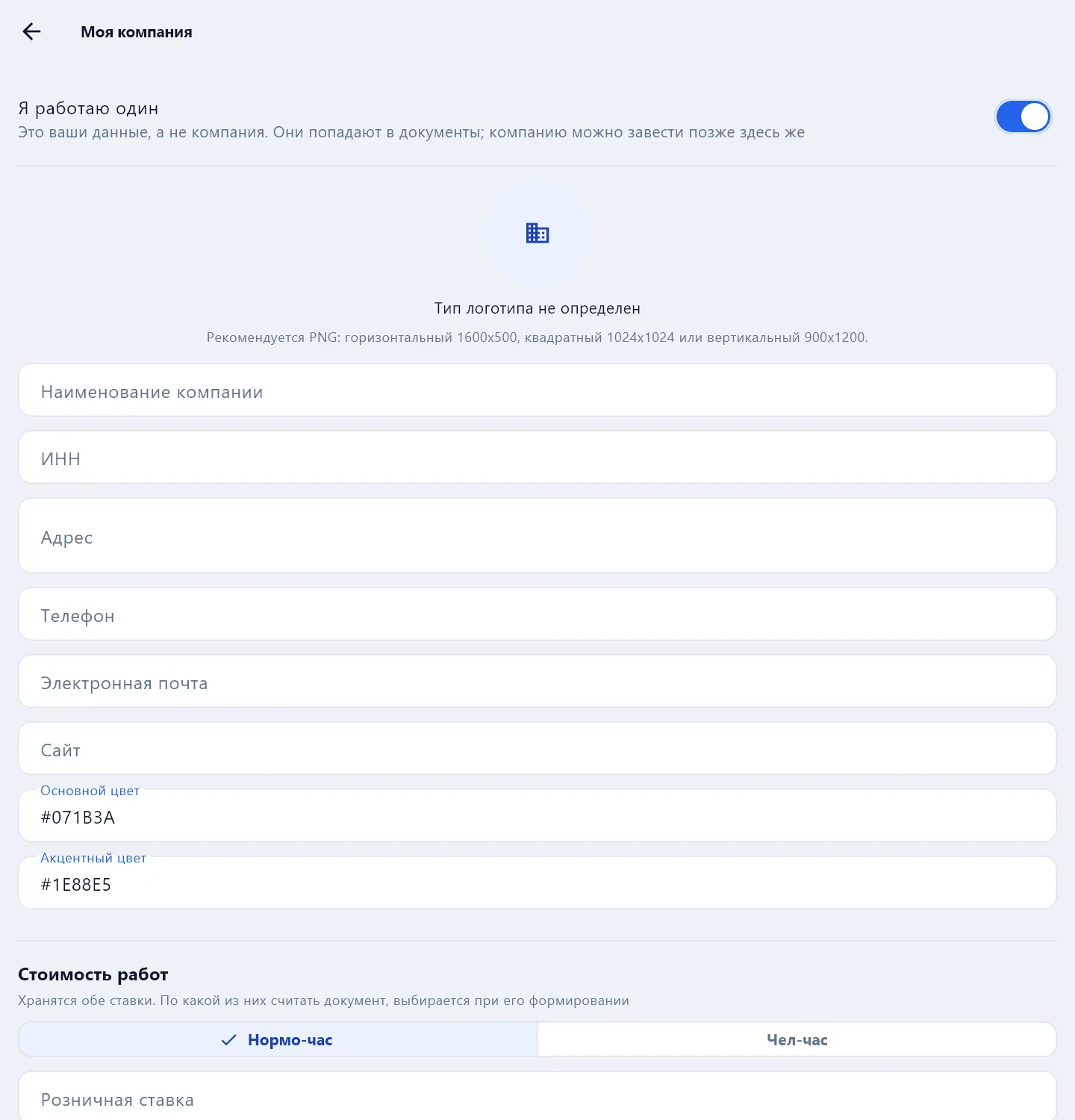
In the same place set the hourly rate and the tax — the estimate is calculated from them, see Estimate and prices. A logo can be uploaded too.
A company can be created later in the same place — for example, when helpers appear.
How to work
Everything as for a technician in a company: document → sections → photos and signatures → PDF. In detail — the pages of the Technician section, starting with How to fill in a document.
Send the finished PDF to the customer yourself: Share the PDF — to a messenger or email, or print it.
Free or Master
| Free | Master plan | |
|---|---|---|
| All document types, photos, signatures, estimate | ✓ | ✓ |
| PDF without the free-mode mark | — | ✓ |
| A copy of the documents on the server and restore on a new phone | — | ✓ |
| A document number from the server | — | ✓ |
| The customer verifying an act by QR code | — | ✓ |
The Master plan is for one person; it does not allow working together. Prices on the Pricing page, payment in the website cabinet, Subscription section.
Need employees, a customer portal with approval and requests from customers — those are company plans: Quick start for a service company.