Dispatch — jobs for mechanics
Who does what and by when. The mechanic gets the job in the app, and the document for it opens already filled in.
The job board
In the Dispatch section all the company's jobs are laid out in columns:
| Column | What it means |
|---|---|
| Unassigned | A job without a technician — any free mechanic can take it |
| Assigned | A technician is chosen but has not answered yet |
| Accepted | The technician accepted the job or took it themselves |
| In progress | The technician started work — the document exists |
| Done | A PDF was built for the document — the job closed itself |
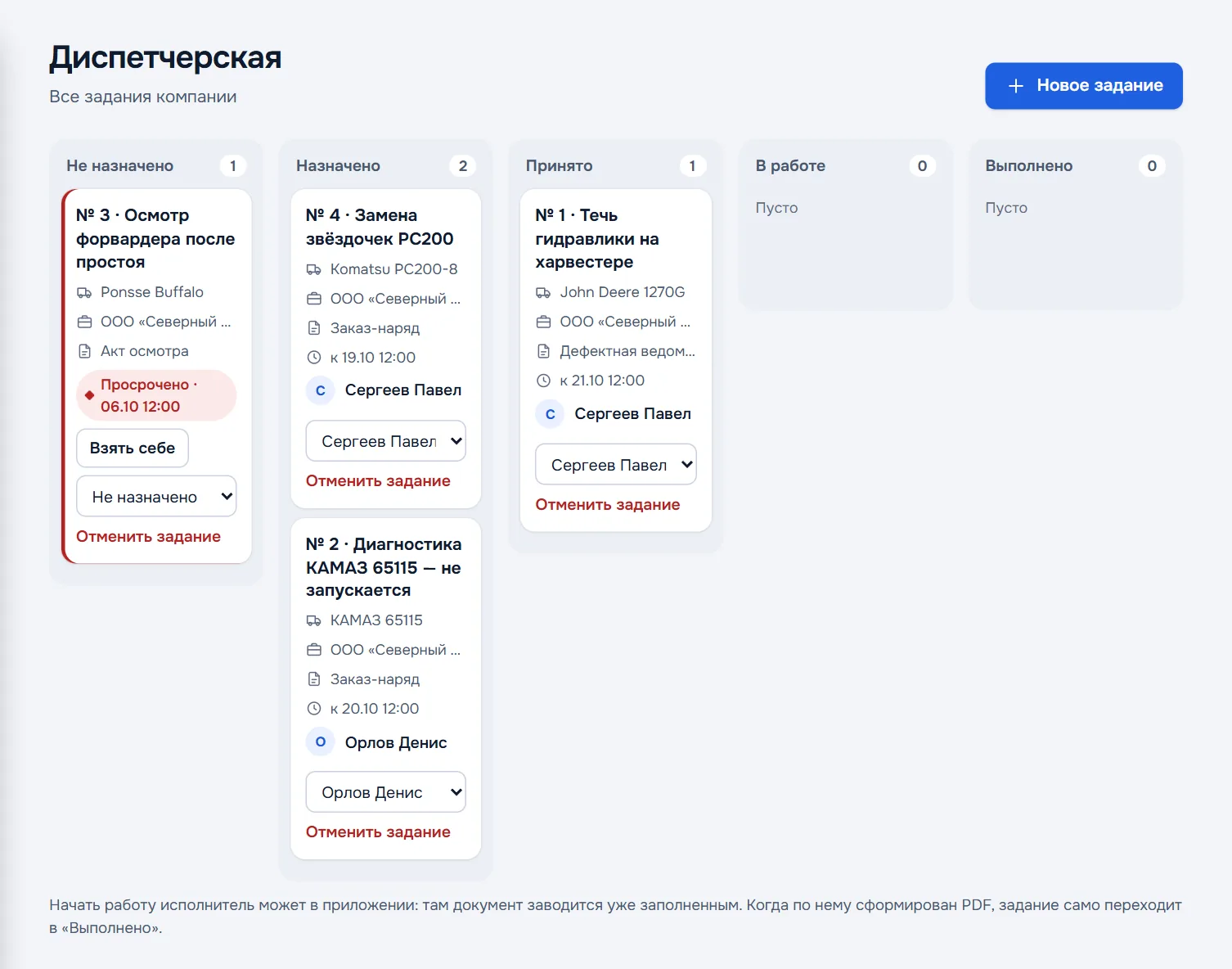
A card shows the job number and gist, the equipment, the customer, which document to make, the deadline and the technician. Overdue jobs are marked red; their number and the number of unassigned jobs also appear on the Overview.
Jobs can be assigned by the owner, an admin and a controller. Dispatch is available on company plans, when the company has two or more employees.
Assigning a job
Press New job and fill in three blocks:
- What to do — the gist briefly, for example "hydraulic leak — check the hoses", and the details: what is known about the breakdown, what to take along.
- Where and who with — the customer and their equipment from the directories, the address and who meets you on site.
- Who and when — the technician, which document to make and the deadline.
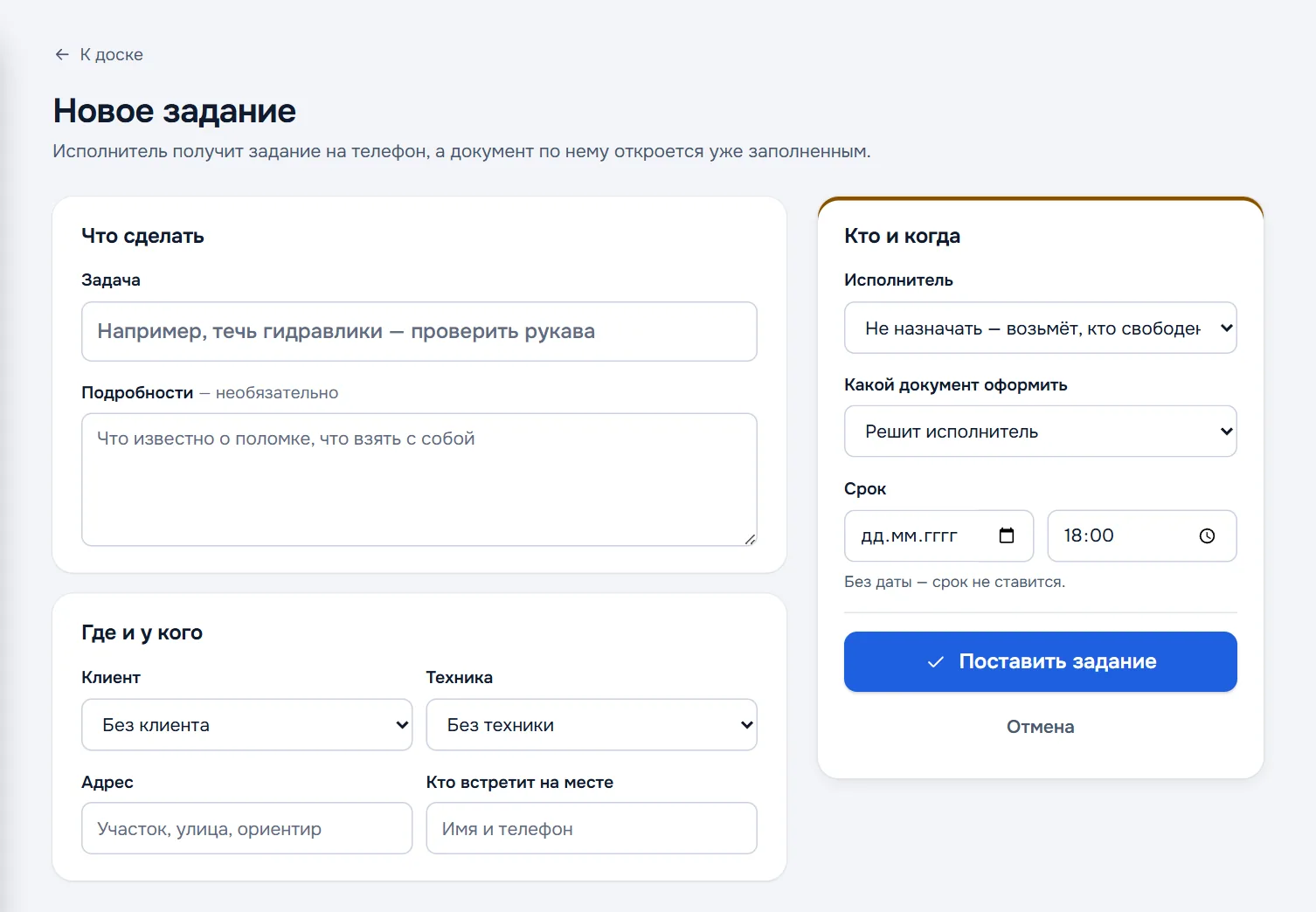
The technician can be left unassigned — the job then goes to Unassigned and whoever is free takes it. The document type can be left to the technician. Without a date there is no deadline.
Press Assign the job — the mechanic receives it in the app.
A job for a customer request is created from the request itself: the Assign a job button carries over the address, the contact and the description.
What happens next
- The mechanic sees the job in the app and accepts it or declines with a reason. Declining returns the job to Unassigned, with the reason shown on the card.
- When the mechanic starts work, the app creates the document — customer, equipment, address and gist already filled in. The job moves to In progress.
- When a PDF is built for the document, the job moves to Done by itself.
Jobs are stored on the server, so two people cannot take the same one. The job list is visible in the app even offline, but accepting or taking a job requires a connection.
Changing or cancelling
Right on the card you can change the technician in the drop-down, Take it myself — if you are going yourself — or Cancel the job.