Subscription and payment
The current plan, seats used, invoices and acts. Payment by invoice for organisations or by card.
The current plan
The Subscription section shows the plan name, the date it is paid until, how many seats the plan has and how many are used by employees, and how many devices are registered.
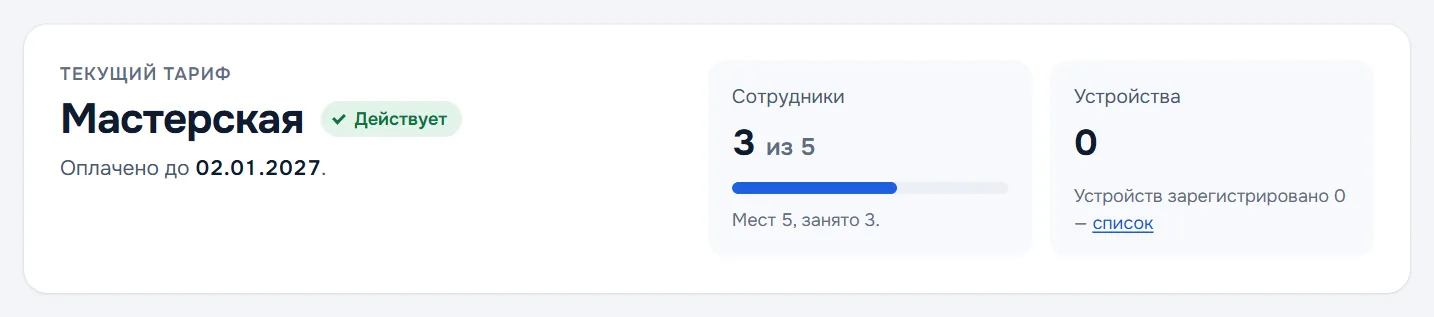
If there are more employees than seats, work does not stop: the difference is paid on renewal under the plan that fits the grown team. Devices can outnumber seats: one person may have both a phone and a computer.
Paying
- In the Renew or change plan block choose a plan and press Issue an invoice.
- The invoice appears in the Invoices list — download it and pass it to accounting, or press Pay by card.
- After payment the subscription is extended and an act appears next to the invoice.
While the previous invoice is unpaid, a new one cannot be issued: pay it or wait until it is withdrawn. More than 100 employees — by a separate contract, write to info@defact.pro.
Prices for all plans are on the Pricing page.
Trial and grace periods
- The first 30 days after creating the company are free, with every feature. The trial month is given once per tax number.
- Payment is late — after the paid period ends everything still works in full for another 30 days, so accounting has time to process the invoice.
- The grace period is over — the company switches to free mode. Data is not deleted and the system does not lock up: documents stay on the devices, server features switch off — sync, the customer portal, approval, company-wide numbering and QR verification. Payment puts everything back.
Refunds
When a subscription is cancelled, the cost of unused full months of the paid period is refunded. Send a request by email to info@defact.pro; the refund is made within 10 business days.