Team, roles and devices
Invite mechanics and dispatchers, assign roles, reset a forgotten password and see which devices employees work from.
The employee list
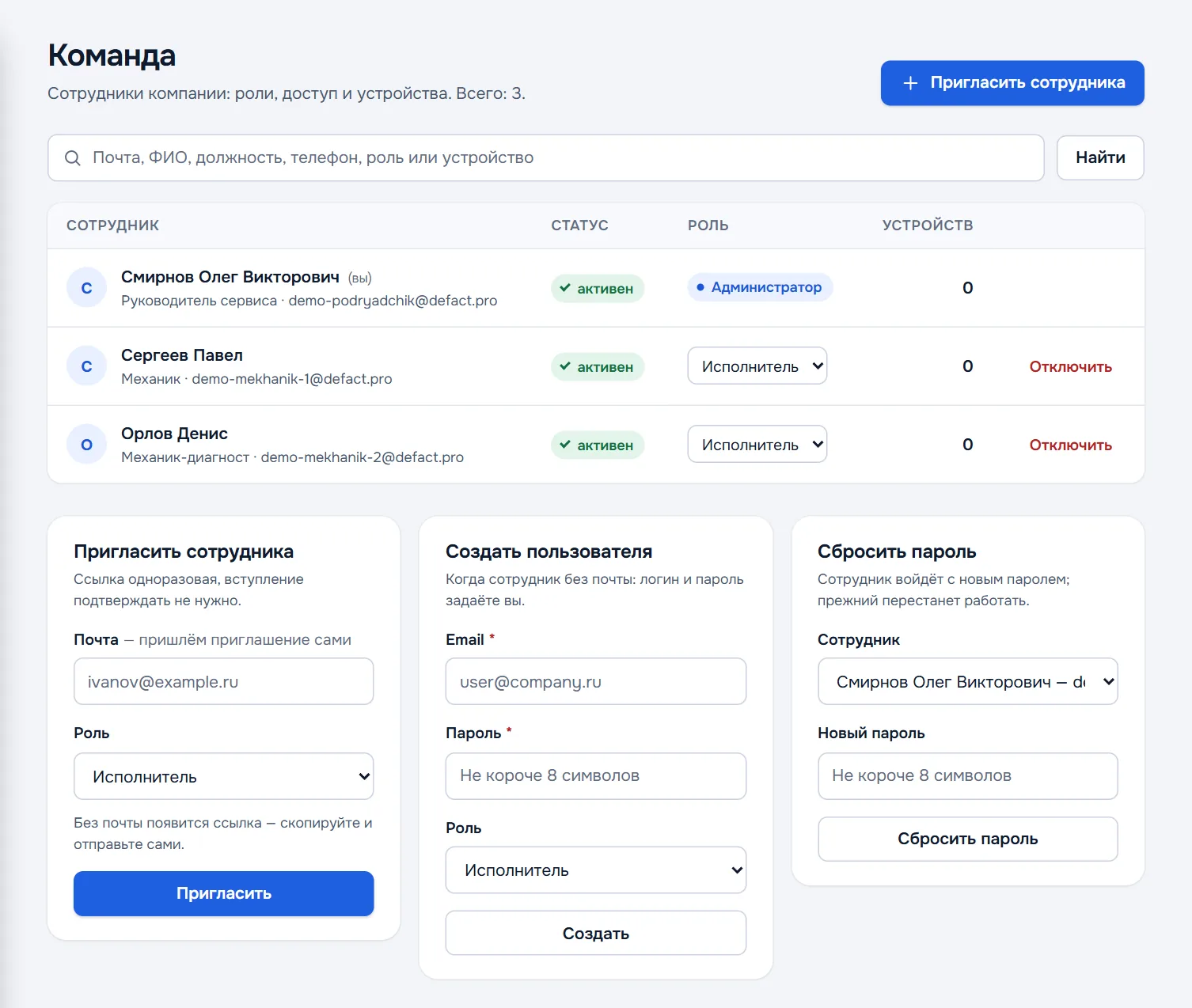
The Team section holds every employee of the company: name, position, email, status, role and how many devices the person has. Search finds by email, name, position, phone, role or device name.
Inviting an employee
The Invite employee button or the form at the bottom of the section:
- Email — we send the invitation ourselves. Without an email a link appears — copy it and send it to the employee in a messenger.
- Role — Technician for mechanics; Controller or Admin for those who check documents and assign jobs.
- Invite.
The link is single-use; joining through it needs no confirmation. If the employee found the company by tax number and sent a request to join, it appears on the Overview — confirm or decline it in Team.
Creating a user without email
If an employee has no email, create the sign-in yourself: the Create user form — a login in the form of an email, a password of at least 8 characters and a role. Hand the login and password to the employee in person.
Roles
| Role | What it can do |
|---|---|
| Owner | Everything an admin can, and appoints admins |
| Admin | Runs controllers and technicians, edits all documents, approves, exports statistics |
| Controller | Like an admin, but without managing the team |
| Technician | Fills documents, sees only their own |
The role is changed in the drop-down on the employee's row. An admin cannot change the role of another admin or of the owner. The last owner cannot be demoted — the company will not be left without a master.
Resetting a password and disabling
- Reset password — the form at the bottom right: pick the employee and set a new password. The old one stops working at once.
- Disable — on the employee's row. They can no longer sign in to the company, and their documents stay. A seat on the plan is freed.
Devices
An employee has one phone or tablet and one computer working at the same time. Signing in on a new phone disconnects that employee's previous phone, on a computer the previous computer.
The Devices section shows every phone and computer in the company. A device removed here is disconnected — handy if a phone is lost or replaced.