Estimate and prices
The estimate inside the defect report — work in hours at the company rate plus parts with prices. The customer sees and approves the total together with the report.
First, the company rate
Work is calculated at an hourly rate. It is set once in the Company tab, block Cost of work:
- labour hour or man hour — how you count work;
- retail rate — goes into documents for the customer;
- cost — for internal calculations, not sent to the customer by default;
- tax — No VAT or a VAT rate; the estimate total depends on it.
If no rate is set, the estimate shows "rate not set" and work is not priced.
Estimate lines
In the report open the Estimate section and tick Include the estimate in the document. Lines fall into two groups:
- Work — name and number of hours. The price comes from the company rate, or is set per line.
- Parts and materials — name, article number (optional, used to find the part in the directory), unit, quantity and price per unit. The purchase price is for internal calculation; if empty, the sale price is used. If the sale price is below the purchase price, the app warns you.
Press Add line and pick an item from the directory or type a new one.
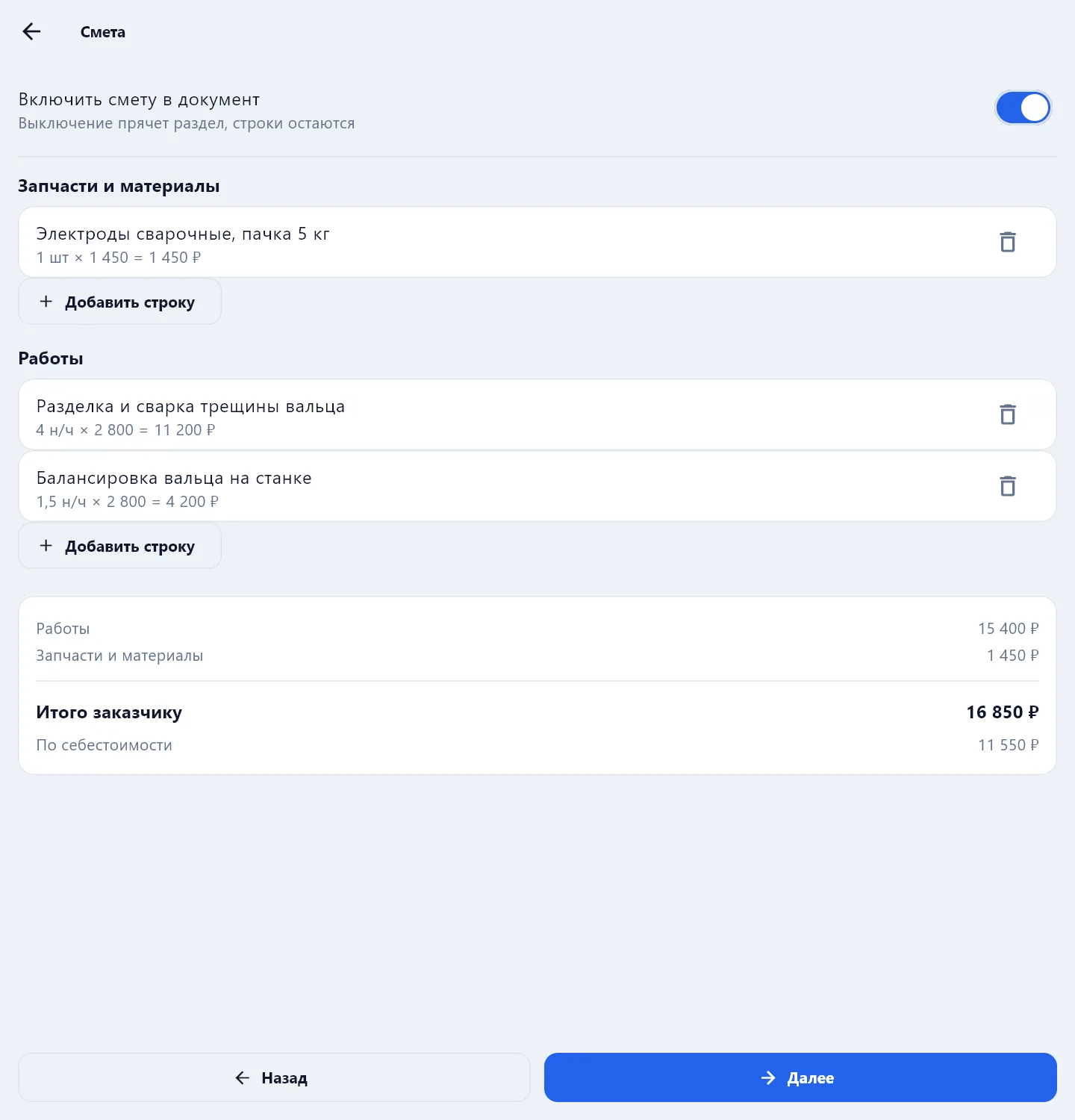
At the bottom — Total for the customer and the cost total for yourself.
Work and parts land in the directories with their latest price when the PDF is built, so next time they do not have to be entered again. Prices from 1C arrive in the directories by themselves if the 1C integration is connected.
Which prices to print
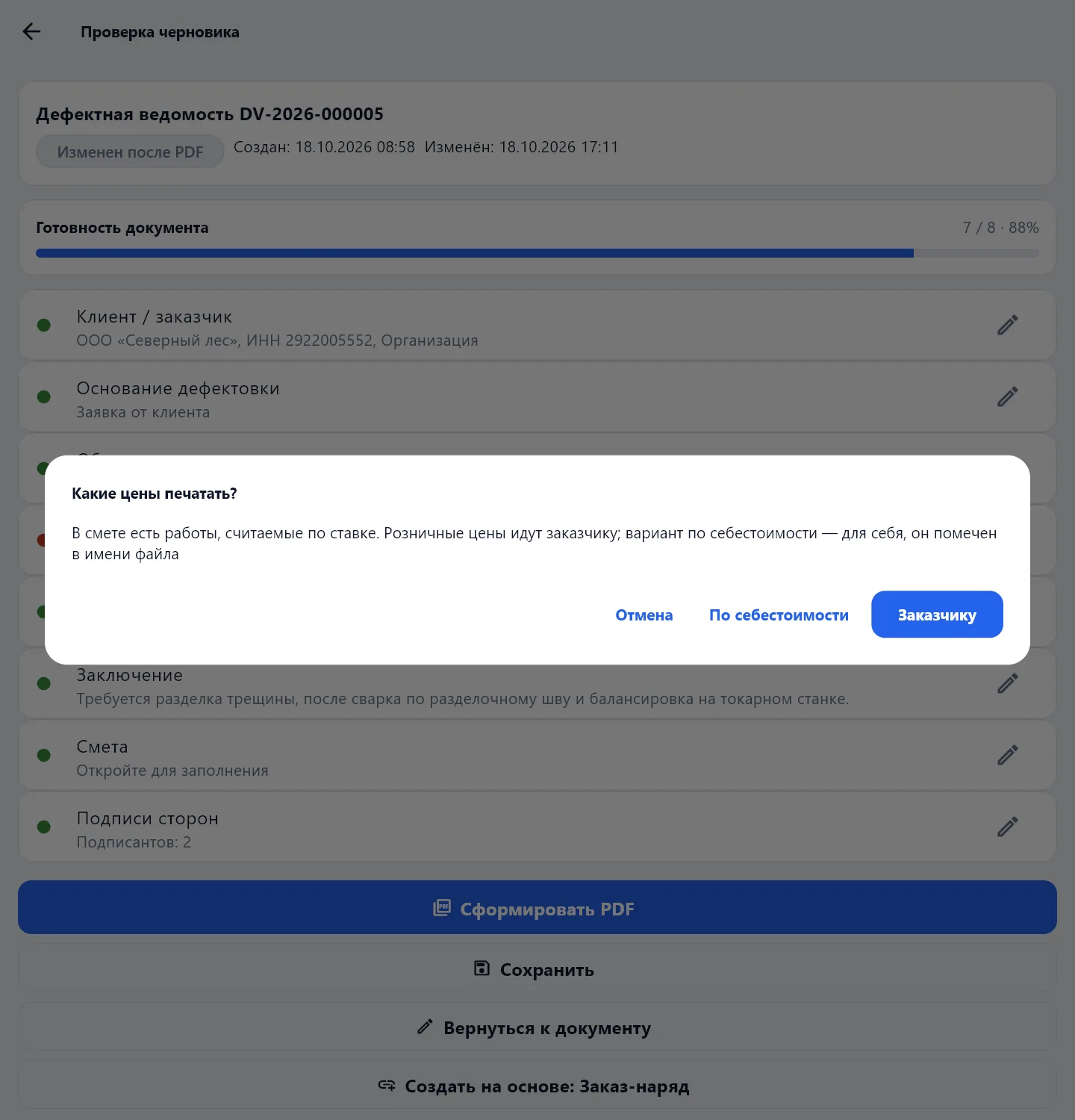
When the estimate contains work at a rate, the app asks before the PDF which prices to print:
- For the customer — retail prices; this PDF goes to the customer;
- At cost — a version for yourself, marked in the file name.
The estimate in a work order
In a work order and completion act the estimate is split across the sections Operations, Cost of work and Materials — see Work order and completion act.
You can price a repair without the app in the repair cost calculator on the site.