The act is ready on site.
The customer sees it today, not next week.
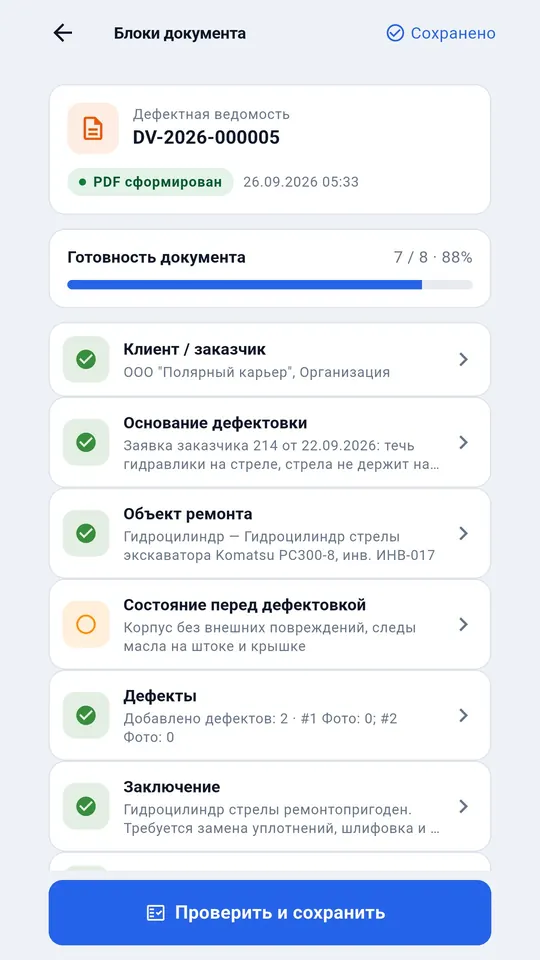
A technician fills the act right where the job is — offline, with photos and signatures. Once there is a connection, the system assigns the number, builds the PDF and sends it to the customer for approval.
Sign up by email — a temporary password arrives by letter
Are you a customer and someone sent you documents to approve? Customer sign-in →
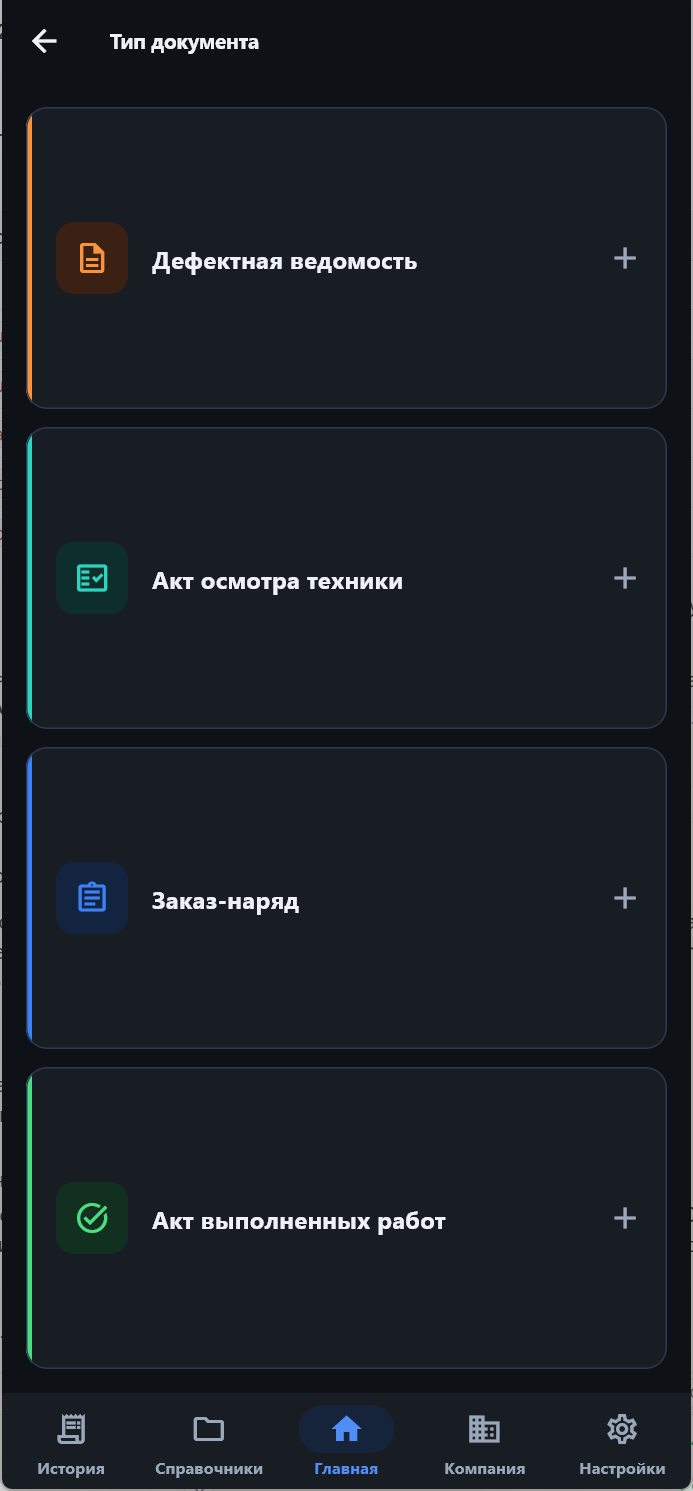
What the system does
From the act in the field to customer approval — one working loop.
On site
A technician with a phone — in the workshop, on the pad, in the field.
Four document types
Defect report, inspection act, work order, completion act. Photos and signatures inside the document.
Works offline
In the workshop, on the pad, in the field. Data reaches every company device once there is a connection.
Cable exchange
Transfer between a phone and a laptop directly, no internet — for places with no connection at all.
Phone, tablet, computer
Android for work on site, Windows to finish and print.
In the office
The manager and the dispatcher — jobs and people.
Dispatch
The manager assigns a job to a technician — what to do, on which machine and by when. The technician starts it and the document opens already filled in.
Company roles
Admin, controller, technician. Each sees their own; the customer only views and approves.
At the customer
The chief mechanic approves and orders repairs without phone calls.
Customer approval
The customer opens the document by link and approves it — or sends it back with a remark.
Customer requests
A customer describes a repair or a field service call in their portal and attaches photos. Contractors answer with price and date; an accepted request becomes a work order.
How it works
Four steps from the site to an approved document.
Fill in on site
The technician enters defects and data where the job is. No connection needed.
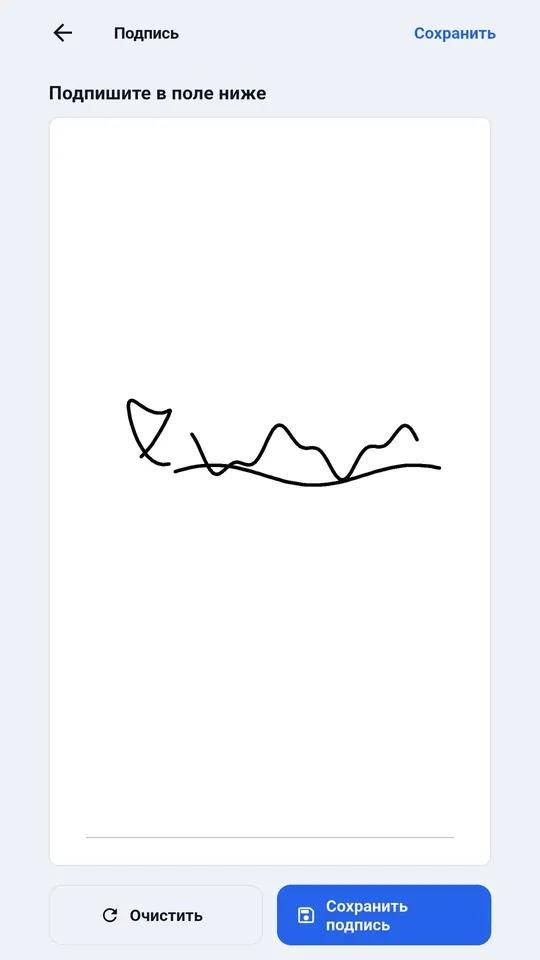
Photos and signatures
Camera shots and signatures of the responsible people — in the same document.
Connection appears
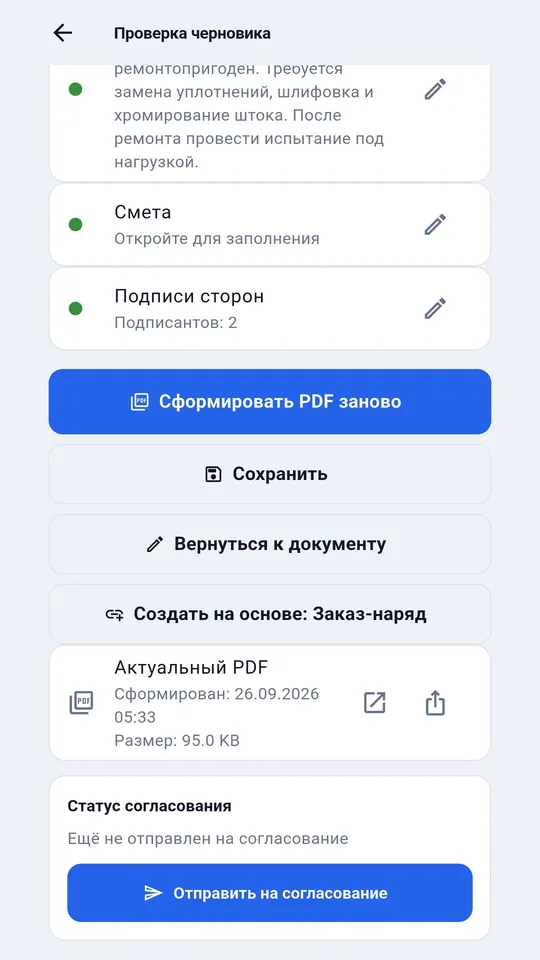
The system assigns the number and builds the PDF. The server issues the number, so it is the same across the company.
The customer approves
Opens the document by link, approves it or sends it back with a remark.

Your industry
Every job is different — see how it looks in yours.
Forestry
Harvesters, forwarders and log trucks — defect reports at the cutting area with no signal.
MoreRoad construction equipment
Excavators, rollers and pavers — intake and return of equipment without arguments.
MoreMining
Mine haul trucks, drill rigs, crushers and conveyors — scheduled inspections.
MoreHome appliances and electronics
Service centres and field technicians — intake, warranty, customer signature.
MoreAgricultural machinery
Tractors, combines and sprayers — defect reports in the field and at the machine yard.
MoreTrucks and fleets
Trucks, tractors units and buses — intake for repair with mileage and history by plate number.
MoreFree, no sign-up
If you do not need the app yet — forms, a calculator and answers to common questions.
Document templates
Inspection act, defect report, work order and completion act — DOCX, XLSX and PDF with samples.
DownloadRepair cost calculator
Labour hours, parts, markup, discount and VAT — a calculation in XLSX with formulas or PDF.
CalculateArticles
How to write a defect report and a work order, how to price a labour hour and agree on a repair without arguments.
ReadData under control
Documents and photos of customers are what people trust reluctantly. Here is what we do about it.
Our own server in Russia
Not a rented cloud. The connection is HTTPS.
Backups that are tested
Backups are encrypted and stored off the server, and restored from scratch once a week — so we know they work.
Everyone sees only their own
Access is role-based, companies are isolated from each other. A customer can view and approve, but not edit.
What it costs
The first 30 days for a new company are free, with full functionality. Prices in roubles.
Master
1 user
499 ₽ per month
3 999 ₽ per 13 months
Documents without the free-mode mark, a server-side copy and restore on a new phone, document numbers from the server, act verification by QR code.
BuyFor companies
Employees and roles, sync, customer portal and approval, customer requests, directory and price-list upload, statistics and export.
| Plan | Employees | Per year |
|---|---|---|
| Workshop | up to 5 | 9 900 ₽ |
| Brigade | up to 10 | 18 900 ₽ |
| Site | up to 25 | 36 900 ₽ |
| Service | up to 50 | 61 900 ₽ |
| Enterprise | up to 100 | 99 900 ₽ |
| More than 100 employees | by agreement | |
Payment in your cabinet: by company invoice from a bank account or by bank card. What plans include, how to pay and what happens after the trial →
See it on your own documents
Sign up by email, 30 days free, no card needed. Any questions — write to us; we answer on business days.